 Rallyhaven
Prepare with intention.
Set the scenario and objectives. Invite coordinators, responders, shelter managers and volunteers with role-specific codes. Check readiness before you begin.
Scenario → Roles → Readiness
A workspace for simulated exercises
Bring your team, the scenario and every decision into one shared workspace. From the first briefing to the next action.
Optimized for iPad. Fully supported on iPhone.
Currently in TestFlight preview.
01 / From briefing to debrief
The point of an exercise is the learning. Rallyhaven gives the coordination a home, so your team can focus on the decisions.
Set the scenario and objectives. Invite coordinators, responders, shelter managers and volunteers with role-specific codes. Check readiness before you begin.
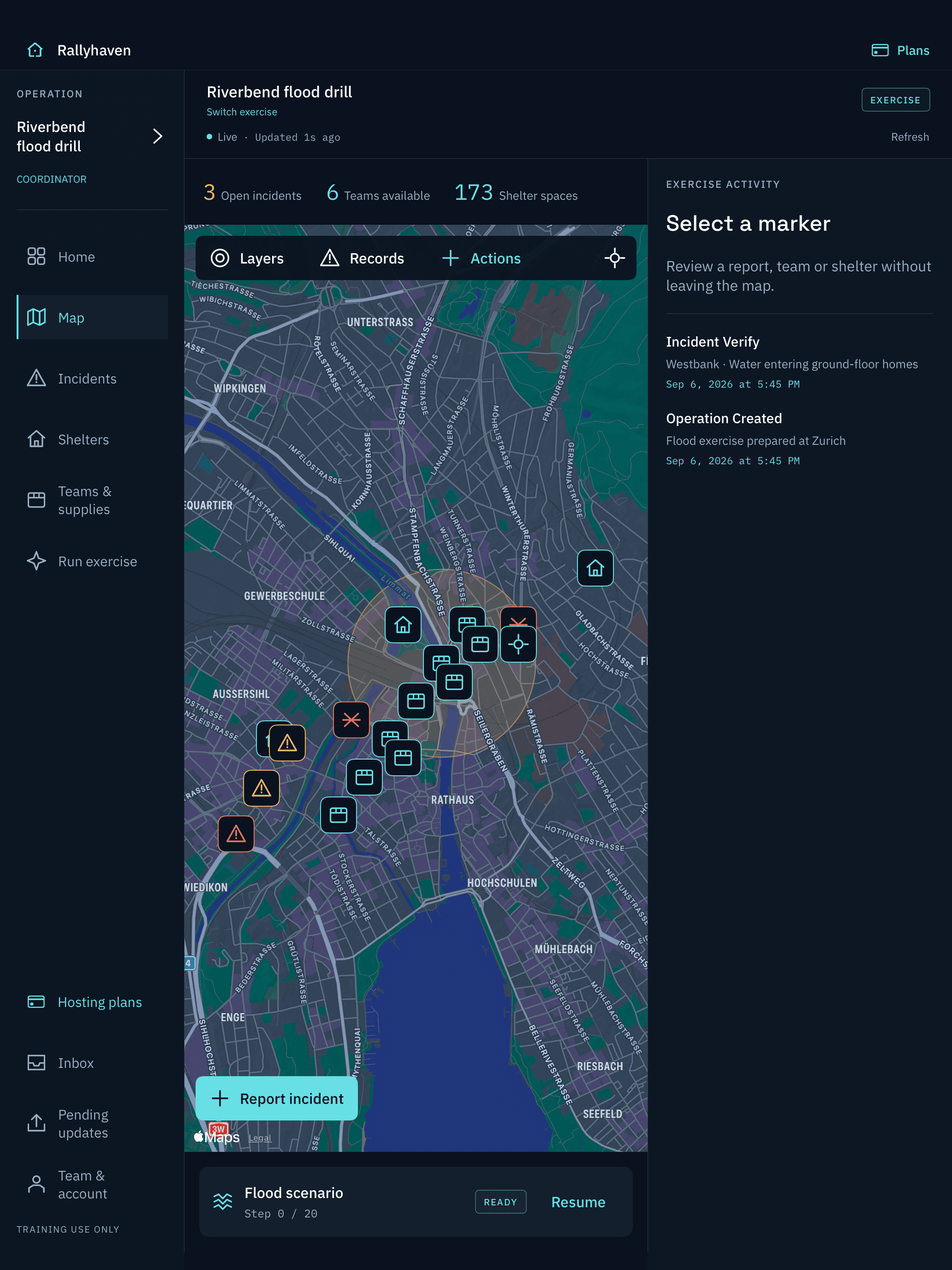
Work from the same exercise map. Verify reports, assign resources and coordinate shelters. Control the pace with manual or automatic scenario progression.
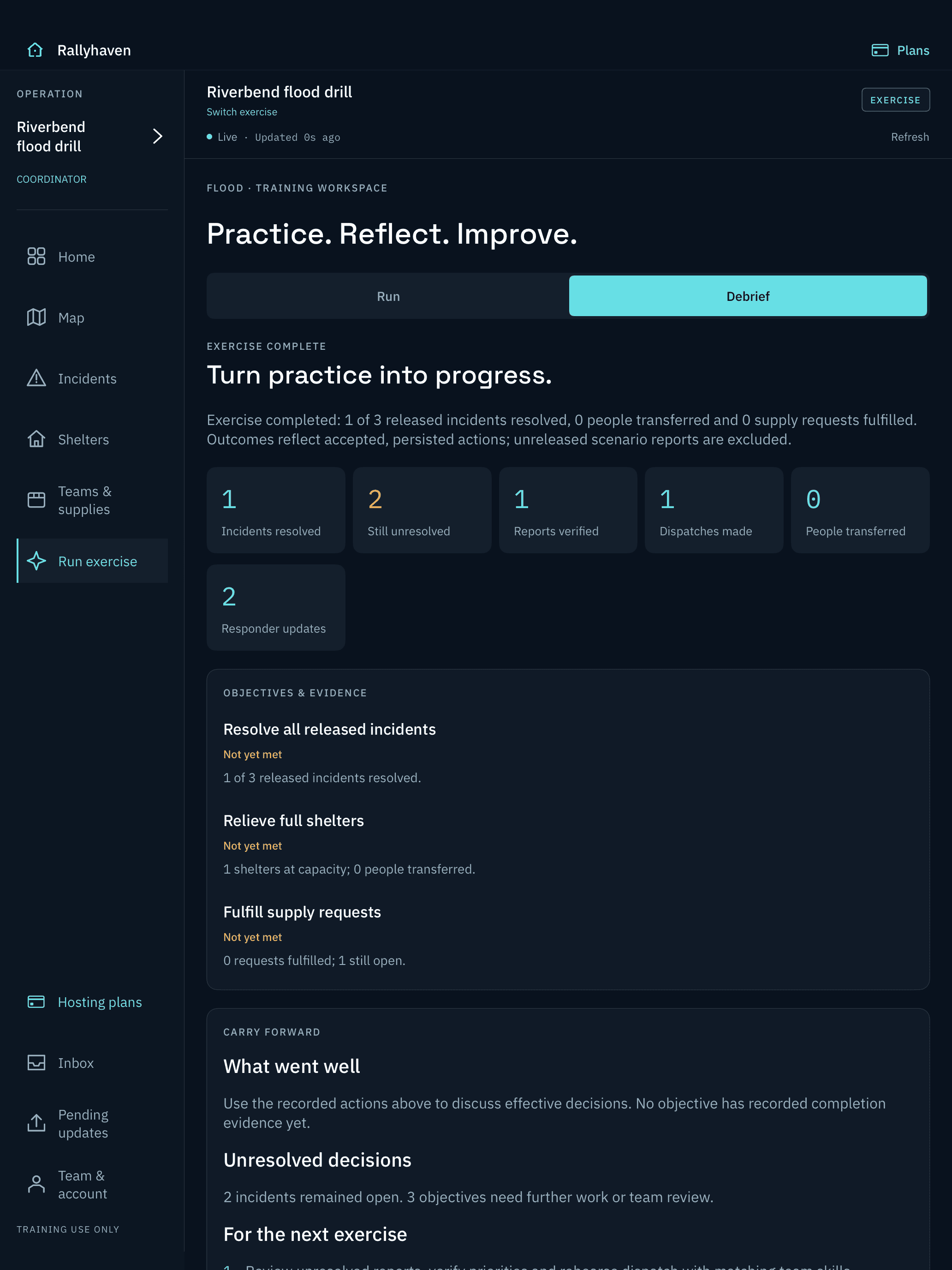
Close the exercise, review the recorded history and assign improvement actions. Export a PDF debrief your team can take into the next session.
Built for the work between the milestones
Incidents, teams, shelters, closures and risk zones, with visible connection and update state.
Rules-based suggestions stay suggestions until a coordinator approves them. Resource conflicts are surfaced explicitly.
Review exercise updates in one place, with optional device alerts. Push delivery is never guaranteed.
Loaded data remains readable. Pending updates queue locally; shared changes require server acceptance and conflicts need review.
02 / Choose your workspace
We recommend iPad for planning, facilitating and debriefing. Participants can join and respond from either device.
A multi-column iPad workspace brings the map and exercise context together.
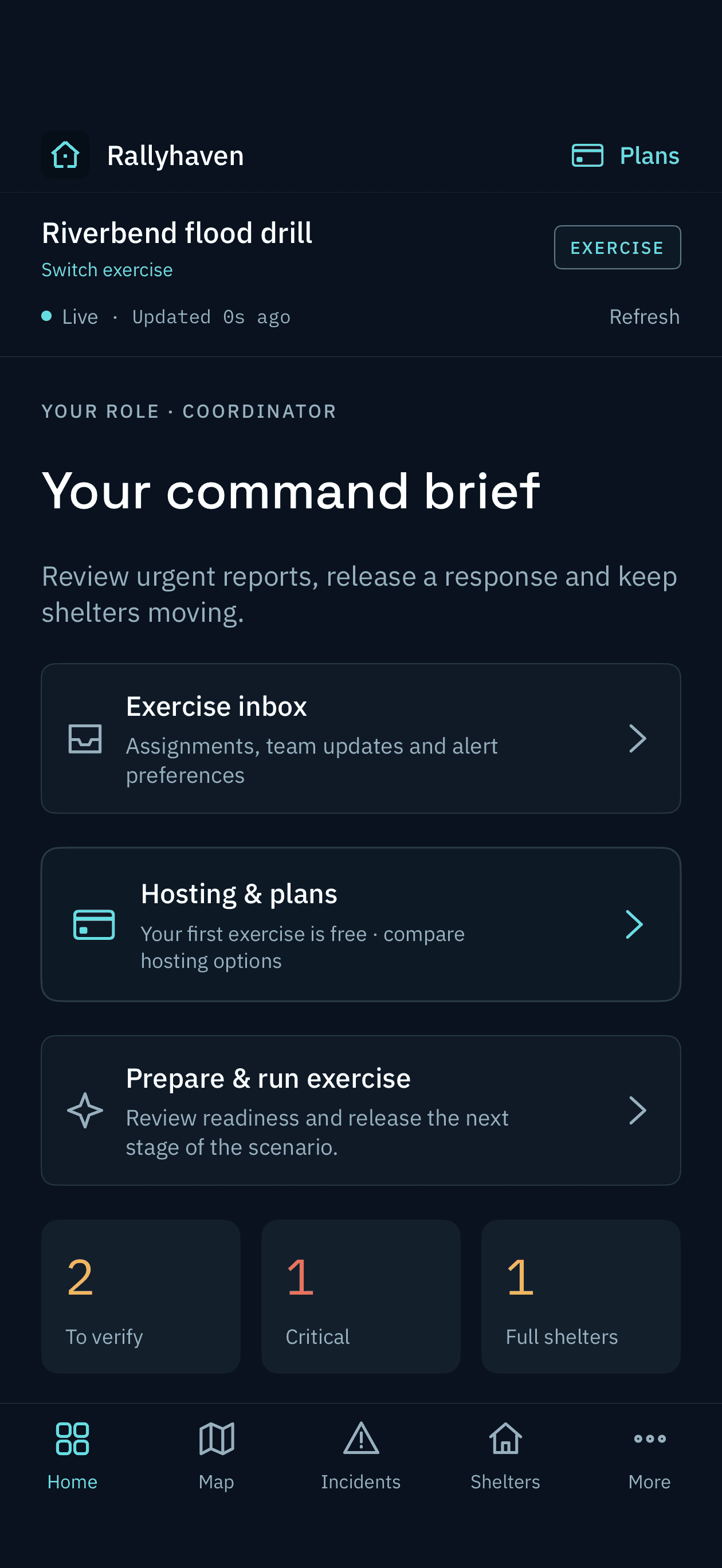
A focused iPhone workspace keeps exercise status and the next action close.
iOS / iPadOS 18 or later. Sign in with Apple required.
No Android or web participant client.
03 / Make the next exercise count
Keep the discussion connected to what happened. Bring the recorded response, assessments and owned improvement actions into the debrief.
Evidence from your exercise, not an automated certification or a guarantee of real-world readiness.
04 / Hosting, without a seat tax
Start with your first hosted exercise free. When you’re ready to run another, choose a credit or annual facilitator access in the app.
Get your team together
Free
One first hosted exercise per account. Participants always join free.
For the occasional drill
$49 USD / exercise
A one-time purchase to create one additional exercise.
For a regular training program
$249 USD / year
Host new exercises while your annual subscription is active.
Reference US prices. Actual regional prices and purchase terms appear in the app. All hosts can own up to 50 exercises at a time. Annual subscriptions renew automatically unless cancelled; manage them in Apple Account settings. TestFlight purchases use Apple’s sandbox, do not charge real money and do not carry into production hosting. Read purchase terms ↗
A considered tool for your next drill
Rallyhaven is currently in TestFlight preview, not yet publicly available on the App Store. Interested in evaluating it for your training? Get in touch to discuss preview access.
Ask about the previewAlready testing? Open Hosting plans in the app to see your account’s access and Apple’s localized prices.